
FF3.1 is OUT!!!!
http://www.freefalcon.com/content/conte ... =downloads
FreeFalcon 3.1 is OUT!!!
Συντονιστές: the_ripper, Διαχείριση
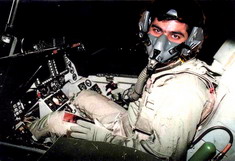

Το πακέτο FF3.1 περιεχει και το νέο Cobra 1.1 !!!
χμμμ...!
FF3.1 Release Notes
1. FF3.1 features an extensive rework of various 3D model viewing distance. Some of the results of these changes are as follows:
a. Users should see an increase in FPS on most systems depending on the situation. This includes take-off, landing and taxiing, particularly with F-16s.
b. You will still experience lower FPS on some systems depending on the amount and type of aircraft that are spawning at your airbase. Some users may need to adjust their spawning times in config editor.
c. All F-15 models will still cause low FPS during air base operations due to the complex models. Most campaigns were optimized to keep this problem to a minimum during campaign play.
d. Most weapons may only be visible for a short distance from the cockpit before disappearing.
e. Users may notice a few gfx anomalies when viewing some aircraft from external views while zooming in and out.
2. Tacref has been updated and now contains detailed information on most aircraft, weapons and other units found in FF3. The FF3 naval section has been completely reworked and now mirrors the naval data base in FF3.
3. The sound files now contain several fixes for items like AI weapons calls or aircraft ID calls from AWACS. Please note the following:
a. Weapons added for FF2/FF3 now have their proper weapons calls upon release. This includes the AIM-120C release call of ?Fox-3?.
b. All Mirages will be called ?Mirage?, except several of the M2Ks, which were not able to be fixed.
c. The J-10 will be called ?Dragon?.
4. All aircraft that have guns have now have had their guns fixed. This should correct some previous problems with AI and human guns not being able to hit their targets. AI A-A gunnery still has some issues, but in most tests, the AI was able to either shoot down or damage human aircraft if given a reasonable target. Pilots, who fly DF, should notice a difference, particularly when flying the F-16. Thanks to Dew Dog for his help with this fix.
5. The MiG-29SM is now in the data base. It features 4 hardpoints on each wing and is capable of carrying extra fuel, AA-12 missiles and some laser guided weapons. This aircraft will be multi-role. The MiG-29S has also been updated to feature similar enhancements, but does not use laser guided weapons.
6. Added F/A-18A to DF mode. It can use rear-aspect Sidewinder. Also, F-16A in DF has rear-aspect heater as well.
7. Added Block 30, 40 & 50 F-16s that use GE engines. The engine types will exhibit the proper behaviors as dictated by either the BMS or Cobra F-16 engine code. All of the F-16 flight models used in FF3.1 are by Andre ?Raptor-1? Joseph.
8. All of the Mirage 2000s, F-1s, IIIs, 5s and Rafale variants in FF3.1 have a dual set of flight models as follows:
a. The default set is by Jean-marie ?Topolo? Langeron and can be found in your C:\MicroProse\Falcon4\sim folder.
b. The original set of these FMs can be selected by either deleting the sim folder or just renaming it.
9. Added 25% more radar range to the F-16s that are considered Block 52+ models. This includes F-16C-HAF F-16D-HAF and F-16I.
10. Added JDAMs to both F-16C Block 30 & 32s. This aircraft is now called ?F-16C+?.
11. 500 lb. JDAMs are now called GBU-38s as in real life.
12. The JA-37 and AJS-37 have a new 3D model made by Swede.
13. Modified A-A missile loadout of Mirage 2000-C. This was done to allow for use of the M2K-C in campaigns where previously the ATO would only load 2 fuel tanks and 2 IR missiles.
14. Users should now see a mix of interdiction and SAD (search & destroy) missions in campaigns.
15. All F-16 3D models have been modified to repair the problem with decals not showing on the body and the problem with the afterburner flame due to z-buffering.
16. Textures: Several aircraft have new texture (skin) sets as follows:
a. F-15A/C/E: New skins by Red-1 and Rogue Sqd.
b. H-6: New skins by Hustler
c. All MiG-29s have updated models and skins based upon Hailstorm?s MiG-29 skin. Thanks to Hailstorm for allowing the edit of his original skin.
17. All aircraft with internal bays have been fixed so that aircraft like the B-1 can drop more than 8 each of certain types of bombs.
18. The problem with aircraft sinking into the deck upon landings has been fixed for carriers available in the base TE and used in campaigns. Users should also notice improved hit boxes for all ships when attacking with weapons.
19. Several adjustments to the damage values are as follows:
a. Guns should now be effective against certain ?soft? targets like radars, fuel tanks and oil tanks. It may take several bursts to destroy one of these targets depending on the type of gun and range it is fired from.
b. Maverick missiles should also now be effective against certain ?soft? targets. The rationale is even though a Maverick missile is an anti-armor weapon, it should still be able to destroy certain targets due to the type of warhead.
c. The SCALP EG/Storm Shadow type weapons should now be much more effective against all targets. Users may still have to use 2 weapons to totally destroy some larger buildings like factories.
d. All runways should now yield similar damage results based upon the same types of weapons. Most PEN or anti-runway weapons will generally be very effective against runways, while GP/HE type weapons will not.
20. Campaign updates: FF3 now features updated campaigns for the ODS-512, Balkans and European theatres.
* Make sure you read the supplemental instructions on how to upgrade the featured theatres for FF3
a. ODS-512: This campaign is set in 1991 and features multiple F-16 squadrons.
? This is a completely reworked campaign designed to take advantage of some of the strengths of the FF3 database.
? Most aircraft in this campaign feature weapons and roles that are similar to those used in 1991.
? Many aircraft have been placed at airbases closer to the border, but some missions will still have long flight times.
? Users should note that this theatre is not complete and there will be some problems associated with this. One key problem is that many airbases are not level and either float or are sunken below the surface. Most of the airbases being used do not have this problem, but some do.
? Users also may note that the ground troops have minimal movement. The default campaign trigger is used, which may make finishing the campaign difficult or not possible.
? Make sure you read the supplemental instructions on how to upgrade an install of ODS-512 to FF3.
b. Balkans: The Balkans theatre features 2 campaigns updated to work with FF3. Both of these campaigns should work well and feature a mix of different NATO aircraft using two of the stock campaigns.
c. European Theatre: The European theatre is another theatre that is available but is not complete.
? FF3.1 now features 2 campaigns completely rebuilt for this theatre using one of the stock campaigns.
? These campaigns are highly modified for simulation around the old East and West German border only. Users should note similar problems with this theatre as with ODS-512.
? Once again, movement of ground troops may not be complete, but this will not affect the outcome as the campaign triggers are based upon performance and not troop movement.
? The first campaign is set in 1988 and features simulated aircraft, weapons and roles from that era for both the NATO and Warsaw Pact alliances.
? The second campaign is called ?Titans Clash? and features some of the most modern aircraft from the east and west mixing it up over Germany.
Supplemental instructions on how to update theaters to FF3.1:
1. Install the theatre and allow the installer to complete installing all of the files.
2. Go into the ?C:\MicroProse\Falcon4\Utilities\Birds All-in-One Theater Patch? folder and click on the file named ?theaters.exe?. This will give you a menu to choose from and will update your theatre to FF3.1 when you click on the appropriate box and hit ?select?. It is highly advised to read the notes provided by Bird that appears when you activate the installer. Please note the following:
? You do not need to select the objects box upon running Bird?s installer.
? If you have Cobra installed and you get an error message about not being able to find F4-BMS.exe, then create a simple text file in your Falcon 4 root directory and rename it to F4-BMS.exe. This should give Bird?s installer something to point to so it can begin the installation.
? Once Bird?s installer has completed the install process, open your ?C:\MicroProse\Falcon4\patches? folder and look for the folders called ?Balkans?, ?DesertStormTheaterAddon? or ?Europe?. These folders contain the latest FF3.1 files needed to update the theatres and run the new campaigns.
? Open one of the folders and copy the 2 directories called ?Art? and ?campaign?. Balkans and Europe art folders are named by theatre.
? Now paste these two folders back into your ?C:\MicroProse\Falcon4? directory. You should get a prompt when doing this as you will be overwriting older files. Proceed with overwriting these files. Your update should now be complete.
? Repeat this process for any other of the 3 theatre campaigns updated for FF3.1.
χμμμ...!
FF3.1 Release Notes
1. FF3.1 features an extensive rework of various 3D model viewing distance. Some of the results of these changes are as follows:
a. Users should see an increase in FPS on most systems depending on the situation. This includes take-off, landing and taxiing, particularly with F-16s.
b. You will still experience lower FPS on some systems depending on the amount and type of aircraft that are spawning at your airbase. Some users may need to adjust their spawning times in config editor.
c. All F-15 models will still cause low FPS during air base operations due to the complex models. Most campaigns were optimized to keep this problem to a minimum during campaign play.
d. Most weapons may only be visible for a short distance from the cockpit before disappearing.
e. Users may notice a few gfx anomalies when viewing some aircraft from external views while zooming in and out.
2. Tacref has been updated and now contains detailed information on most aircraft, weapons and other units found in FF3. The FF3 naval section has been completely reworked and now mirrors the naval data base in FF3.
3. The sound files now contain several fixes for items like AI weapons calls or aircraft ID calls from AWACS. Please note the following:
a. Weapons added for FF2/FF3 now have their proper weapons calls upon release. This includes the AIM-120C release call of ?Fox-3?.
b. All Mirages will be called ?Mirage?, except several of the M2Ks, which were not able to be fixed.
c. The J-10 will be called ?Dragon?.
4. All aircraft that have guns have now have had their guns fixed. This should correct some previous problems with AI and human guns not being able to hit their targets. AI A-A gunnery still has some issues, but in most tests, the AI was able to either shoot down or damage human aircraft if given a reasonable target. Pilots, who fly DF, should notice a difference, particularly when flying the F-16. Thanks to Dew Dog for his help with this fix.
5. The MiG-29SM is now in the data base. It features 4 hardpoints on each wing and is capable of carrying extra fuel, AA-12 missiles and some laser guided weapons. This aircraft will be multi-role. The MiG-29S has also been updated to feature similar enhancements, but does not use laser guided weapons.
6. Added F/A-18A to DF mode. It can use rear-aspect Sidewinder. Also, F-16A in DF has rear-aspect heater as well.
7. Added Block 30, 40 & 50 F-16s that use GE engines. The engine types will exhibit the proper behaviors as dictated by either the BMS or Cobra F-16 engine code. All of the F-16 flight models used in FF3.1 are by Andre ?Raptor-1? Joseph.
8. All of the Mirage 2000s, F-1s, IIIs, 5s and Rafale variants in FF3.1 have a dual set of flight models as follows:
a. The default set is by Jean-marie ?Topolo? Langeron and can be found in your C:\MicroProse\Falcon4\sim folder.
b. The original set of these FMs can be selected by either deleting the sim folder or just renaming it.
9. Added 25% more radar range to the F-16s that are considered Block 52+ models. This includes F-16C-HAF F-16D-HAF and F-16I.
10. Added JDAMs to both F-16C Block 30 & 32s. This aircraft is now called ?F-16C+?.
11. 500 lb. JDAMs are now called GBU-38s as in real life.
12. The JA-37 and AJS-37 have a new 3D model made by Swede.
13. Modified A-A missile loadout of Mirage 2000-C. This was done to allow for use of the M2K-C in campaigns where previously the ATO would only load 2 fuel tanks and 2 IR missiles.
14. Users should now see a mix of interdiction and SAD (search & destroy) missions in campaigns.
15. All F-16 3D models have been modified to repair the problem with decals not showing on the body and the problem with the afterburner flame due to z-buffering.
16. Textures: Several aircraft have new texture (skin) sets as follows:
a. F-15A/C/E: New skins by Red-1 and Rogue Sqd.
b. H-6: New skins by Hustler
c. All MiG-29s have updated models and skins based upon Hailstorm?s MiG-29 skin. Thanks to Hailstorm for allowing the edit of his original skin.
17. All aircraft with internal bays have been fixed so that aircraft like the B-1 can drop more than 8 each of certain types of bombs.
18. The problem with aircraft sinking into the deck upon landings has been fixed for carriers available in the base TE and used in campaigns. Users should also notice improved hit boxes for all ships when attacking with weapons.
19. Several adjustments to the damage values are as follows:
a. Guns should now be effective against certain ?soft? targets like radars, fuel tanks and oil tanks. It may take several bursts to destroy one of these targets depending on the type of gun and range it is fired from.
b. Maverick missiles should also now be effective against certain ?soft? targets. The rationale is even though a Maverick missile is an anti-armor weapon, it should still be able to destroy certain targets due to the type of warhead.
c. The SCALP EG/Storm Shadow type weapons should now be much more effective against all targets. Users may still have to use 2 weapons to totally destroy some larger buildings like factories.
d. All runways should now yield similar damage results based upon the same types of weapons. Most PEN or anti-runway weapons will generally be very effective against runways, while GP/HE type weapons will not.
20. Campaign updates: FF3 now features updated campaigns for the ODS-512, Balkans and European theatres.
* Make sure you read the supplemental instructions on how to upgrade the featured theatres for FF3
a. ODS-512: This campaign is set in 1991 and features multiple F-16 squadrons.
? This is a completely reworked campaign designed to take advantage of some of the strengths of the FF3 database.
? Most aircraft in this campaign feature weapons and roles that are similar to those used in 1991.
? Many aircraft have been placed at airbases closer to the border, but some missions will still have long flight times.
? Users should note that this theatre is not complete and there will be some problems associated with this. One key problem is that many airbases are not level and either float or are sunken below the surface. Most of the airbases being used do not have this problem, but some do.
? Users also may note that the ground troops have minimal movement. The default campaign trigger is used, which may make finishing the campaign difficult or not possible.
? Make sure you read the supplemental instructions on how to upgrade an install of ODS-512 to FF3.
b. Balkans: The Balkans theatre features 2 campaigns updated to work with FF3. Both of these campaigns should work well and feature a mix of different NATO aircraft using two of the stock campaigns.
c. European Theatre: The European theatre is another theatre that is available but is not complete.
? FF3.1 now features 2 campaigns completely rebuilt for this theatre using one of the stock campaigns.
? These campaigns are highly modified for simulation around the old East and West German border only. Users should note similar problems with this theatre as with ODS-512.
? Once again, movement of ground troops may not be complete, but this will not affect the outcome as the campaign triggers are based upon performance and not troop movement.
? The first campaign is set in 1988 and features simulated aircraft, weapons and roles from that era for both the NATO and Warsaw Pact alliances.
? The second campaign is called ?Titans Clash? and features some of the most modern aircraft from the east and west mixing it up over Germany.
Supplemental instructions on how to update theaters to FF3.1:
1. Install the theatre and allow the installer to complete installing all of the files.
2. Go into the ?C:\MicroProse\Falcon4\Utilities\Birds All-in-One Theater Patch? folder and click on the file named ?theaters.exe?. This will give you a menu to choose from and will update your theatre to FF3.1 when you click on the appropriate box and hit ?select?. It is highly advised to read the notes provided by Bird that appears when you activate the installer. Please note the following:
? You do not need to select the objects box upon running Bird?s installer.
? If you have Cobra installed and you get an error message about not being able to find F4-BMS.exe, then create a simple text file in your Falcon 4 root directory and rename it to F4-BMS.exe. This should give Bird?s installer something to point to so it can begin the installation.
? Once Bird?s installer has completed the install process, open your ?C:\MicroProse\Falcon4\patches? folder and look for the folders called ?Balkans?, ?DesertStormTheaterAddon? or ?Europe?. These folders contain the latest FF3.1 files needed to update the theatres and run the new campaigns.
? Open one of the folders and copy the 2 directories called ?Art? and ?campaign?. Balkans and Europe art folders are named by theatre.
? Now paste these two folders back into your ?C:\MicroProse\Falcon4? directory. You should get a prompt when doing this as you will be overwriting older files. Proceed with overwriting these files. Your update should now be complete.
? Repeat this process for any other of the 3 theatre campaigns updated for FF3.1.


Mystic_J έγραψε:Vasika, den thelo na komporeyto, alla oi allages sto ATO -DVD kai oi allages pou tha exei to hotfix einai kalyteres apo aytes toy FF3.1 poy stin teliki den allaksane kai tpt spouydaio ap o,ti diavazo.
To mono poy DEN KSERO einai ti exei allaksei to Cobra 1.1
Kserei kaneis?
Giati den to katevazeis na to egatasthseis kai na mas peis ki emas ?.

Basil

το εγκατεστησα εγω (f4+ff3+ff3.1+ff3cocpits+cobra1.1) αλλα φαινεται οτι το Antialaising δεν δουλευει σωστα. Το τεραιν "γυαλιζει" και οταν ζουμαρω βλεπω μεγαλα μπλοκ απο "ακατεργαστα" pixels. Δοκιμασα τα παντα, drivers και ρυθμισεις αλλα δεν γινεται τιποτα. Οι αλλες εγκαταστασεις που εχω απεικονιζουν το τεραιν τελεια (smooth)!
Υ.Γ: απο freefalcon forum:
Cobra 1.1 Fixes and enhancements:
Note: the SSE and No SSE versions are in subfolders in the Patches folder.
- Jammed Chevron fix.
- Undefined variables fixes
- Multiplayer Collision Fix. Protects online, on ground, and under 50 knots.
- Thrust Reverse
- New AI takeoff/rotation aero code.
- Taxiing fixes
- Follow Human Pilot fixes
- Takeoff lineup fixes
- Digi Ground attack clean up on FCC Mastermodes
- 10x60 TMS-Down ACM 10x60 mode fixed.
- 3D to 2D damage bug fixed.
- HUD SOI being reset bug fixed. Fixes VIS/BORE with AGM 65 and DTOS with bombs.
- Redundant SOI_RADAR call removed.
- 10x60 ACM mode break lock loop fixed.
- Fixed Tac Ref Zoom issue
- Fixed small bullseye issue
- New Thrust Reverser Code. In a/c dat file set hasThrRev to enable.
Reverse Thrust works by double tapping the "K" key (wheel brakes)
This will turn it on. If you are flying and double tap it, it will
Arm the system. When Armed or Activated, it will display in the upper
right "Thrust Reverse Armed" or "Thrust Reverse Activated".
It is turned off by tapping "K" once after turning it on.
Once set, the throttle controls the amount thrust reverse.
Υ.Γ: απο freefalcon forum:
Cobra 1.1 Fixes and enhancements:
Note: the SSE and No SSE versions are in subfolders in the Patches folder.
- Jammed Chevron fix.
- Undefined variables fixes
- Multiplayer Collision Fix. Protects online, on ground, and under 50 knots.
- Thrust Reverse
- New AI takeoff/rotation aero code.
- Taxiing fixes
- Follow Human Pilot fixes
- Takeoff lineup fixes
- Digi Ground attack clean up on FCC Mastermodes
- 10x60 TMS-Down ACM 10x60 mode fixed.
- 3D to 2D damage bug fixed.
- HUD SOI being reset bug fixed. Fixes VIS/BORE with AGM 65 and DTOS with bombs.
- Redundant SOI_RADAR call removed.
- 10x60 ACM mode break lock loop fixed.
- Fixed Tac Ref Zoom issue
- Fixed small bullseye issue
- New Thrust Reverser Code. In a/c dat file set hasThrRev to enable.
Reverse Thrust works by double tapping the "K" key (wheel brakes)
This will turn it on. If you are flying and double tap it, it will
Arm the system. When Armed or Activated, it will display in the upper
right "Thrust Reverse Armed" or "Thrust Reverse Activated".
It is turned off by tapping "K" once after turning it on.
Once set, the throttle controls the amount thrust reverse.
Τι κάρτα γραφικών έχεις?nivam έγραψε:το εγκατεστησα εγω (f4+ff3+ff3.1+ff3cocpits+cobra1.1) αλλα φαινεται οτι το Antialaising δεν δουλευει σωστα. Το τεραιν "γυαλιζει" και οταν ζουμαρω βλεπω μεγαλα μπλοκ απο "ακατεργαστα" pixels. Δοκιμασα τα παντα, drivers και ρυθμισεις αλλα δεν γινεται τιποτα. Οι αλλες εγκαταστασεις που εχω απεικονιζουν το τεραιν τελεια (smooth)!
ΕΕΕΕΕΕ δεν θα έλεγα ότι δεν διορθώνει και τίποτς....
Arty out...
Arty out...

Το προβλημα με τα γραφικα λυθηκε με Seasonswitcher!! Ολα καλα απο πλευρας γραφικών.Arty έγραψε:Τι κάρτα γραφικών έχεις?nivam έγραψε:το εγκατεστησα εγω (f4+ff3+ff3.1+ff3cocpits+cobra1.1) αλλα φαινεται οτι το Antialaising δεν δουλευει σωστα. Το τεραιν "γυαλιζει" και οταν ζουμαρω βλεπω μεγαλα μπλοκ απο "ακατεργαστα" pixels. Δοκιμασα τα παντα, drivers και ρυθμισεις αλλα δεν γινεται τιποτα. Οι αλλες εγκαταστασεις που εχω απεικονιζουν το τεραιν τελεια (smooth)!
ΕΕΕΕΕΕ δεν θα έλεγα ότι δεν διορθώνει και τίποτς....
Arty out...
Τωρα απο πλευρας λειτουργιας και προσθηκών δεν μπορω να πω τιποτα, οι παλιοτεροι εδω μεσα και πιο εμπειροι, γνωριζουν καλυτερα!
Το μονο που διαβασα ειναι οτι τα HFFFMs δεν ειναι συμβατα με το 3.1 και δεν πρεπει να εγκαθιστανται. Hitiles, Bazt και skins κανονικα χωρις προβλημα.
-
Επισκέπτης
Σωστόν.nivam έγραψε:Το μονο που διαβασα ειναι οτι τα HFFFMs δεν ειναι συμβατα με το 3.1 και δεν πρεπει να εγκαθιστανται.
Να σημειωθεί πως ΔΕΝ πρέπει να γίνει επιλεκτική εγκατάσταση dat που προέρχονται από install με HFFMs, καθώς χρειάζεται επεξεργασία του αρχείου falcon4.wcd.
Edit: Μιλάω για τα FMs των F-16 και μόνο
Περισσότερα εδώ.
Edit 2: Για τα Dassault FMs δεν μπορώ να εγγυηθώ κάτι...
Τελευταία επεξεργασία από το μέλος Επισκέπτης την 04 Μαρ 2005, 15:40, έχει επεξεργασθεί 1 φορά συνολικά.
τι σκαμπιλι ηταν αυτο ?Silverson έγραψε:Σωστόν.nivam έγραψε:Το μονο που διαβασα ειναι οτι τα HFFFMs δεν ειναι συμβατα με το 3.1 και δεν πρεπει να εγκαθιστανται.
Να σημειωθεί πως δεν πρέπει να γίνει ΟΥΤΕ επιλεκτική εγκατάσταση dat που προέρχονται από install με HFFMs, καθώς χρειάζεται επεξεργασία του αρχείου falcon4.wcd.
Περισσότερα εδώ.
Edit: Για τα Dassault FMs δεν μπορώ να εγγυηθώ κάτι...
e-HAF Admin
-
Επισκέπτης
Δυστυχώς, θα πρέπει να περιμένουμε πότε θα βρει χρόνο ο τύπος για να κάνει συμβατά τα FMs με το 3.1
Απ΄ότι καταλαβαίνω, το θέμα έχει να κάνει μόνο με τα Vipers, καθώς μόνο αυτά πειράζει το πακέτο των HFFMs.
Τα FMs του Toppolo για τα Dassault υπάρχουν στο φάκελο Falcon4\sim\acdata
Όποιος θέλει τα εγκαθιστά χειροκίνητα στο simdata.
Απ΄ότι καταλαβαίνω, το θέμα έχει να κάνει μόνο με τα Vipers, καθώς μόνο αυτά πειράζει το πακέτο των HFFMs.
Τα FMs του Toppolo για τα Dassault υπάρχουν στο φάκελο Falcon4\sim\acdata
Όποιος θέλει τα εγκαθιστά χειροκίνητα στο simdata.
-
Επισκέπτης